

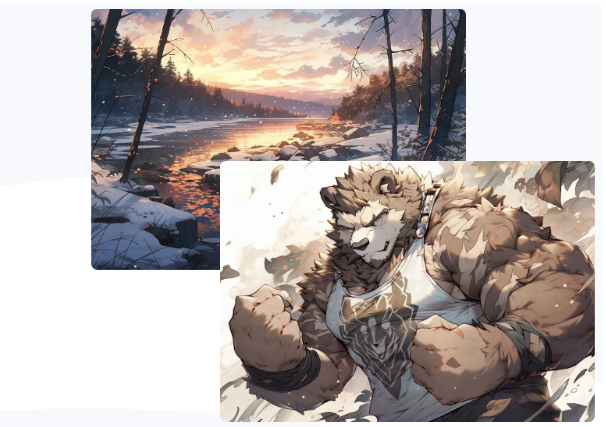
Creating high-quality anime art has become more accessible thanks to advancements in AI technology. AI generators have revolutionized the way artists and enthusiasts approach anime art, making it easier and faster to produce stunning images.
This blog post will guide you through the process of creating high-quality anime art using AI generators, providing tips and steps to ensure your artwork stands out.
Understanding AI Anime Generators
AI anime generators are tools that use artificial intelligence and machine learning algorithms to create anime-style images from text prompts or photos. These generators analyze the input and produce high-quality, realistic anime art within seconds.
They are designed to be user-friendly, allowing both professional artists and beginners to create beautiful anime artwork without extensive drawing skills.
Steps to Create High-Quality Anime Art
Choose the Right AI Generator
Start by selecting an AI anime generator that suits your needs. Look for features such as ease of use, customization options, and the ability to generate high-resolution images. Make sure the platform you choose is reliable and offers the specific tools you require for your art project.
Prepare Your Input
If you are using a text prompt, think carefully about the description you provide. Be specific about the character’s appearance, clothing, background, and any other details you want in your artwork.
If you are using a photo, ensure it is of high quality and clear, as the AI will use this as a reference to create the anime image.
Customize Your Art
Most AI anime generators offer a range of customization options. Take advantage of these features to tweak the details of your art. You can adjust elements such as hairstyles, outfits, colors, and backgrounds to make the artwork more unique and aligned with your vision.
Refine the Details
Once the AI has generated the initial image, review it carefully. Use the editing tools provided by the generator to refine the details. Focus on enhancing the features that are most important to you, whether it’s the character’s expression, the lighting, or the overall composition of the image.
Enhance the Image Quality
High-quality anime art often requires some post-processing. Use image editing software to further enhance the quality of the generated art. You can adjust the brightness, contrast, and sharpness to make the colors pop and the details stand out.
Save and Export
Once you are satisfied with the final image, save it in the desired format. High-resolution formats such as PNG are ideal for preserving the quality of your artwork. If you plan to print your art, make sure the resolution is high enough to avoid pixelation.
Tips for Creating Stunning Anime Art
Be Specific with Prompts
The more detailed and specific your text prompt is, the better the AI will understand your vision. Include information about the character’s personality, environment, and any specific actions or poses you want.
Experiment with Styles
Don’t hesitate to experiment with different styles and filters offered by the AI generator. This will help you discover new artistic possibilities and find the style that best suits your project.
Use High-Quality References
If you are uploading a photo, make sure it is of high quality and well-lit. The AI relies on the clarity and detail of the input image to generate accurate results.
Iterate and Improve
Creating high-quality anime art is often an iterative process. Generate multiple versions of the artwork, review them, and make adjustments as needed. Each iteration will bring you closer to the perfect image.
Seek Feedback
Share your artwork with friends or online communities to get feedback. Constructive criticism can help you identify areas for improvement and enhance your skills over time.
Conclusion
Creating high-quality anime art with AI generators is an exciting and accessible way to explore your creativity. Following the steps outlined in this guide and taking advantage of the available customization options, you can produce stunning anime images that reflect your unique vision.
Whether you are a professional artist or a beginner, AI anime generators offer powerful tools to help you create beautiful and captivating art. Embrace this technology and let your imagination soar!
