


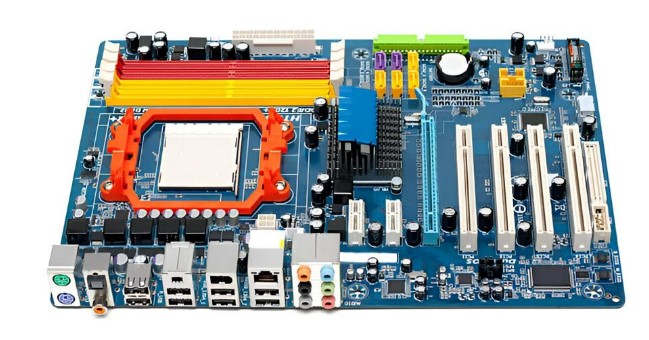
Developing a new electronic product starts with a clear idea—but turning that concept into a working circuit begins with a PCB prototype. A prototype allows engineers and designers to validate the functionality, layout, and performance of a printed circuit board before full-scale production.
In this guide to creating a PCB prototype, we’ll walk you through each step, from design to fabrication and testing. We’ll also show you why working with an experienced partner like Viasion Technology – a trusted circuit board manufacturer – can make the entire process smoother and more efficient.
What Is a PCB Prototype?
A PCB prototype is an early version of a printed circuit board made specifically for testing and validation. It is used to check the performance of a circuit design, identify any flaws, and make improvements before committing to mass production.
Creating a PCB prototype helps avoid costly errors, ensures functionality, and provides the opportunity for iterative development.
Step-by-Step Guide to Creating a PCB Prototype
1. Define Your Requirements
Before any design work begins, clearly define:
- The electrical requirements of the circuit
- Input/output specifications
- Power supply needs
- Target size, shape, and layers of the PCB
- Components and footprint libraries
Proper planning reduces revision cycles and speeds up development.
2. Schematic Design
Use PCB design software like Altium Designer, KiCad, or Eagle to draw the circuit schematic. This is a graphical representation of the electronic components and how they are connected.
Pay attention to component selection, value tolerances, and voltage/current ratings. Good schematic design lays the foundation for a functional prototype.
3. PCB Layout Design
Once the schematic is complete, move on to the PCB layout. Here, you’ll:
- Place components on the board
- Route electrical traces
- Add vias and copper pours
- Define silkscreen, solder mask, and mechanical layers
Use design rules to maintain minimum spacing, trace widths, and clearance. A tidy layout improves manufacturability and reduces EMI (electromagnetic interference).
4. Generate Gerber Files
After completing the layout, export Gerber files, which are standard manufacturing files containing all the necessary information for PCB fabrication. These include:
- Top and bottom copper layers
- Solder mask layers
- Drill files
- Silkscreen
- Outline/mechanical layers
Make sure to double-check files using a Gerber viewer to catch errors before submitting them to the manufacturer.
5. Choose a PCB Prototype Manufacturer
This is a critical step. Working with a reliable manufacturer ensures fast turnaround, precise fabrication, and proper material handling. Viasion Technology – a trusted circuit board manufacturer – offers end-to-end prototyping services, including quick-turn PCBs, multi-layer prototypes, and small-batch production runs.
Their experienced engineering team can help you verify files, choose the right materials, and even assist with component sourcing if needed.
6. PCB Fabrication
Once Gerber files are submitted and approved, the fabrication process begins. This includes:
- Material cutting (usually FR4 or special substrates)
- Lamination and copper plating
- Drilling and etching
- Solder mask and silkscreen application
- Electrical testing and inspection
Viasion Technology follows strict quality control to ensure every prototype meets design specifications.
7. PCB Assembly (Optional)
If your prototype includes components, you can opt for PCB assembly (PCBA). This involves placing and soldering components onto the board using SMT (surface mount technology) or THT (through-hole technology).
Viasion Technology offers full turnkey PCB assembly services, including part sourcing, pick-and-place, soldering, and inspection—all under one roof.
8. Prototype Testing and Evaluation
With the assembled board in hand, it’s time to test. Evaluate:
- Circuit functionality
- Signal integrity
- Power consumption
- Heat generation
- Component behavior
Use oscilloscopes, multimeters, and test jigs to verify results. Make notes on any adjustments needed for the next revision.
Why Choose Viasion Technology as Your PCB Prototyping Partner?
With over 16 years of experience in PCB manufacturing and assembly, Viasion Technology is a reliable partner for startups, engineers, and product developers worldwide.
1. Fast Turnaround for Prototypes
Viasion offers rapid PCB prototyping with turnaround times as short as 24–48 hours, depending on the board complexity. This helps you iterate quickly and bring your product to market faster.
2. One-Stop Services
From layout review to component sourcing and full assembly, Viasion simplifies your supply chain by offering everything under one roof. Their engineers provide valuable feedback at every step.
3. Affordable for Small Runs
Unlike many large manufacturers that require high MOQs, Viasion specializes in small-batch and prototype volumes—making it ideal for R&D projects, pilot testing, or low-volume custom electronics.
4. Strict Quality Control
All PCBs undergo automated optical inspection (AOI), flying probe testing, and impedance checks where necessary. You can trust that your prototype will perform accurately.
Prototyping Tips from Viasion Technology
- Always perform a design rule check (DRC) before exporting files.
- Use standard component packages to avoid sourcing delays.
- Label all test points clearly for easy debugging.
- Consider thermal management early in your design, especially for power circuits.
- If uncertain, consult Viasion’s engineers before fabrication—they’re ready to help.
Conclusion
Creating a PCB prototype is a vital part of the electronic product development cycle. From schematic design to layout, fabrication, and testing, each stage must be carefully executed to ensure a functional and efficient final product.
By following this guide to creating a PCB prototype and partnering with Viasion Technology – a professional circuit board manufacturer, you can turn your ideas into reliable hardware with confidence. Whether you’re designing a wearable device, IoT sensor, or industrial controller, Viasion’s expert support and quick service help reduce development time and improve product quality.
Ready to build your first prototype? Contact Viasion Technology today for a quote and technical consultation.
