


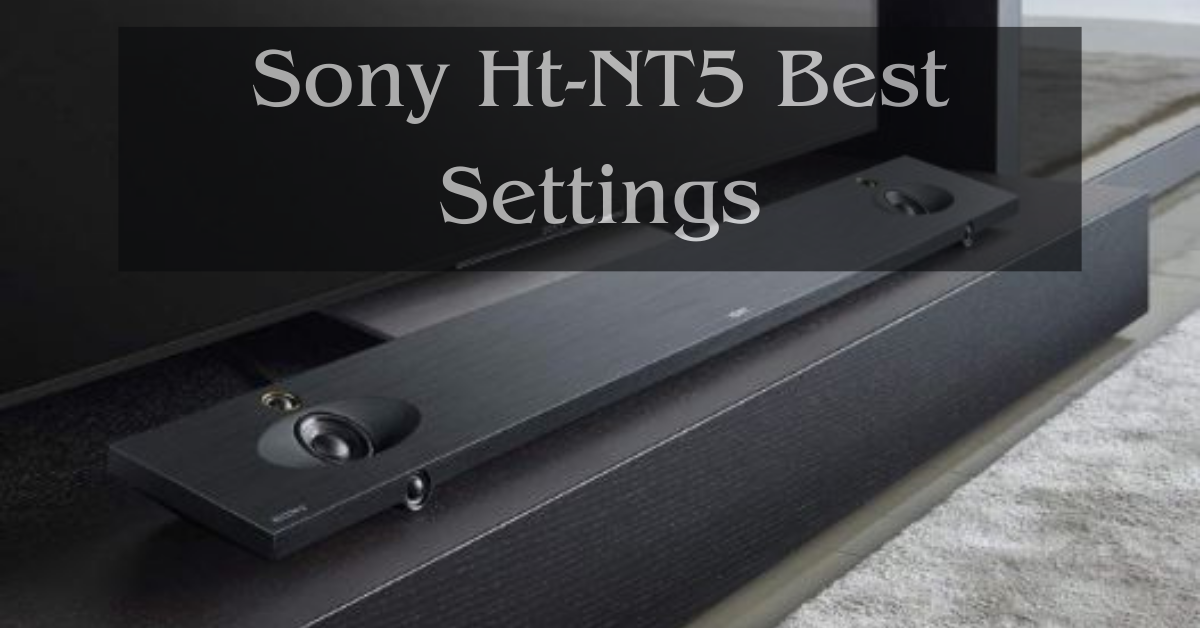
If you have recently purchased the Sony HT-NT5 soundbar or are planning to, then you are in for a treat. This soundbar delivers high-quality sound that will elevate your movie-watching and music-listening experience. However, to make the most of it, you need to set it up correctly and optimize its settings. In this article, we will provide you with a comprehensive guide on the Sony HT-NT5 best settings.
Before we dive into the settings, let us first take a closer look at the Sony HT-NT5 soundbar. This soundbar is a high-end device that delivers immersive and powerful sound. It comes with a 2.1 channel speaker system that consists of two front speakers and a wireless subwoofer. The front speakers are equipped with advanced audio technologies such as S-Master HX, High-Resolution Audio, and LDAC, which enable them to produce clear and precise sound.
Setting up the Sony HT-NT5 Soundbar
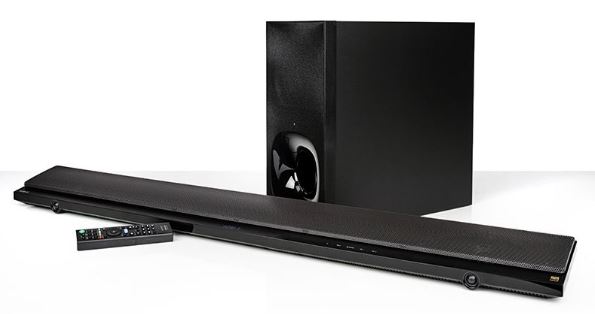
Before we proceed to the settings, let us first set up the soundbar correctly. Follow these steps:
- Unbox the soundbar and place it in front of your TV.
- Connect the soundbar to your TV using an HDMI cable.
- Connect the subwoofer to the soundbar wirelessly or using a cable.
- Turn on the soundbar and subwoofer.
- Use the remote control to select the HDMI input that you connected the soundbar to.
Once you have completed these steps, you can proceed to optimize the sound settings.
Sony HT-NT5 Best Sound Settings

The following are the best sound settings for the Sony HT-NT5 soundbar:
Sound Mode
The sound mode determines the sound effect that the soundbar produces. The Sony HT-NT5 soundbar comes with several sound modes such as cinema, music, and voice. For movies, we recommend that you use the cinema sound mode. For music, use the music sound mode, and for news and TV shows, use the voice sound mode.
S-Force PRO Front Surround
The S-Force PRO Front Surround is a technology that creates a virtual surround sound experience. This technology enables the soundbar to produce a 7.1.2 surround sound effect without the need for rear speakers. To enable this feature, go to the sound settings, select S-Force PRO Front Surround, and turn it on.
ClearAudio+
ClearAudio+ is a technology that automatically adjusts the sound settings to deliver the best sound quality. It adjusts the bass, treble, and volume levels to provide a balanced and clear sound. To enable ClearAudio+, go to the sound settings, select ClearAudio+, and turn it on.
DSEE HX
DSEE HX is a technology that upscales compressed music files to high-resolution audio quality. It enhances the sound quality of MP3 files and other compressed formats. To enable DSEE HX, go to the sound settings, select DSEE HX, and turn it on.
Night Mode
The night mode is a feature that adjusts the sound settings to reduce the volume of loud sounds and enhance the volume of quiet sounds. This feature is useful when you are watching movies or TV shows at night, and you do not want to disturb your neighbors. To enable the night mode, go to the sound settings, select Night Mode, and turn it on.
Volume Leveler
The volume leveler is a feature that adjusts the volume level to ensure that it remains constant throughout the program or movie. It is useful when the volume levels fluctuate between scenes or when you switch between channels. To activate the volume leveler, go to the sound settings, select Volume Leveler, and turn it on. This feature ensures that you enjoy a consistent and balanced sound experience without having to adjust the volume manually.
Bass and Treble Adjustment
The Sony HT-NT5 soundbar allows you to adjust the bass and treble levels to your liking. You can increase or decrease the bass and treble levels to get the desired sound effect. To adjust the bass and treble levels, go to the sound settings, select Bass/Treble, and adjust the levels.
HDMI Audio Output
The HDMI audio output determines how the soundbar handles the audio signals that it receives from your TV. We recommend that you set the HDMI audio output to “Auto.” This setting ensures that the soundbar receives the best possible audio signal from your TV.
Bluetooth Audio Codec
If you plan to use the soundbar to stream music from your mobile device or computer, you should consider adjusting the Bluetooth audio codec. We recommend that you set the Bluetooth audio codec to LDAC. This codec delivers high-quality audio and ensures that the soundbar produces clear and precise sound.
Speaker Level Calibration
Finally, we recommend that you calibrate the speaker levels to ensure that they are balanced. The Sony HT-NT5 soundbar comes with a speaker level calibration feature that enables you to adjust the levels of the front speakers and the subwoofer. To calibrate the speaker levels, go to the sound settings, select Speaker Level, and follow the on-screen instructions.
FAQ About Sony Ht-NT5 Best Settings
How do I reset the Sony HT-NT5 soundbar to its factory settings?
To reset the soundbar to its factory settings, press and hold the power button and the volume down button for five seconds.
Can I connect the Sony HT-NT5 soundbar to my computer?
Yes, you can connect the soundbar to your computer using an HDMI cable.
Can I use the Sony HT-NT5 soundbar with my PlayStation 5?
Yes, you can connect the soundbar to your PlayStation 5 using an HDMI cable.
How do I update the firmware of my Sony HT-NT5 soundbar?
To update the firmware of the soundbar, connect it to your home network, and follow the on-screen instructions.
How do I turn off the auto power off feature of the Sony HT-NT5 soundbar?
To turn off the auto power off feature, go to the sound settings, select Auto Standby, and turn it off.
Final Thought
The Sony HT-NT5 soundbar is a high-end device that delivers immersive and powerful sound. However, to get the best sound experience, you need to optimize its settings. We have provided you with a comprehensive guide on the Sony HT-NT5 best settings. Follow these settings, and you will enjoy a cinematic sound experience in the comfort of your home.
Related Topic:
- best equalizer settings for kenwood car audio
- best equalizer settings for sony wh-1000xm4
- How To Change Microphone Settings On Android
- best equalizer settings for android
- Steelseries Pro Wireless Equalizer Settings
- Best Bose Equalizer Settings
- Steelseries Arctis 7 Equalizer Settings
- Duff McKagan’s Bass Amp Settings
